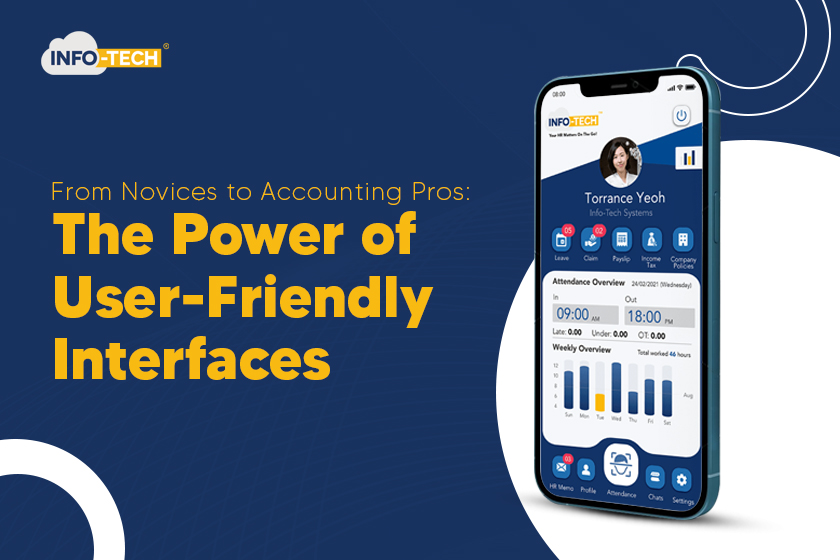
As Malaysia goes digital faster, accounting software has changed. It’s no longer just big systems in offices. Now, it’s smooth online platforms you can use on any device. This change isn’t just about making things easier—it’s about helping more people understand and handle money matters with trust.
People used to think only trained experts could do accounting, and they had a point. It needs to be exact, follow rules, and get how a company’s money works. But these days, companies don’t need everyone to be an accounting whiz. Instead, they want tools that make tricky tasks simpler and help teams work quicker without messing up as much.
Easy-to-use accounting software closes that gap. It turns money management from something scary into something doable—even for total newbies—while still offering the depth that experienced accountants need.
Simple accounting software helps both newcomers and experts by making money tasks easier, cutting down on mistakes, giving quick insights, and offering step-by-step processes you can use from any device.
What Is Accounting Software?
Accounting software is a digital tool made to handle financial records, speed up bookkeeping jobs, and back up daily business dealings. New solutions are almost always cloud-based, which means data lives online and updates right away—letting users get to it from their laptop, tablet, or phone.
These systems do more than just crunch numbers or organize data in tables. They can balance bank accounts, create bills, keep tabs on spending, handle paychecks, keep financial records, and spit out financial reports with a single click. For companies dealing with tons of money moves, these tools aren’t just nice to have—they’re must-haves to stay accurate and follow the rules.
Web-based systems also fix themselves, so companies don’t have to stress about old versions missing updates, or losing data if their computers break down. Everything stays in one place safe and sound, and people who should see it can get to it.
Why Easy-to-Use Interfaces Are Key in Accounting Software
The design of accounting software has a bigger impact than many people think. A simple easy-to-use interface can cut down on learning time, stop money mistakes, get more people to use it, and improve how different teams work together. When software is simple to use even employees who don’t know much about finance can help keep the books accurate.
Here’s how user-friendly interfaces make a difference:
1. Easy for All Skill Levels
A good interface design takes away the fear of accounting. Clear menus easy-to-understand labels, and sensible navigation help users find what they need without guessing or searching through many screens. This means business owners, operations teams, interns, and accountants can all do important tasks without getting confused.
2. Smooth Workflows to Get Things Done Faster
Easy-to-use accounting tools walk you through every step of invoicing, reconciliation, data entry, and payment tracking. This organized approach cuts down on processing time and reduces errors. When the system points out exactly what needs your attention—like bills that need paying or entries that don’t balance—your work gets much easier to handle.
3. Live Dashboards and Insights
New accounting software shows you how your finances are doing right away through picture-based dashboards. These graphs and numbers help businesses keep an eye on money coming in, money going out, profits, and trends over time. People making decisions don’t have to wait for hand-made reports anymore—they get up-to-the-minute insights to help with predicting, budgeting, and planning.
4. Big Drop in Mistakes
People often make mistakes in manual accounting—typing wrong numbers, entering things twice, or forgetting receipts. A simple interface lowers these risks by doing math , checking data, and pointing out errors. This matters a lot for tasks like payroll, taxes, and getting ready for audits where you need to be accurate.
5. Help, Guides & Support Built Right In
Good accounting programs don’t leave you hanging. Pop-up tips, answer libraries, step-by-step instructions, and customer help make sure even new users can do tasks on their own. Companies like Info-Tech offer help any time, so users never feel stuck or too confused.
Old-School Methods vs Easy-to-Use Accounting Software
|
Aspect |
Traditional Accounting |
User-Friendly Software |
|
Learning Curve |
Steep, requires training |
Accessible even to beginners |
|
Error Risk |
High due to manual entry |
Reduced via automation & validation |
|
Data Access |
Limited to office devices |
Cloud & mobile access anywhere |
|
Workflow |
Manual, repetitive |
Automated & guided |
|
Reporting |
Slow and manual |
Instant dashboards & analytics |
Why Simple Design Is Even More Important in 2026
Malaysia’s growing digital rules—like e-invoices and instant reporting—mean companies can’t use old systems anymore. As more industries start to use cloud tools and automated work steps easy-to-use layouts give businesses an edge.
Companies that give their staff easy-to-use platforms work quicker, make fewer mistakes, and keep better financial records. This matters for tax audits getting funding, and growing over time.
What Makes Info-Tech’s User-Friendly Accounting Software Special
Info-Tech built its accounting software just for Malaysian businesses. These companies need clear, fast, and compliant systems without the fuss of old-school Accounting Software. The software is simple enough for new users but also has strong features for skilled accountants.
With tools like invoice automation, e-invoicing compliance, payroll integration, inventory modules, and a complete mobile app, users can handle money matters at any time and place. Info-Tech pairs this with 24/7 help, making sure every user—no matter their skill—can feel at ease when dealing with business money.
To ask questions: 📞 +603 6050 0333 📧 [email protected]
Frequently Asked Questions:
Can beginners use easy-to-use accounting software?
Yes. New interfaces let even non-accountants handle money tasks with ease.
Do easy-to-use interfaces still support complex accounting tasks?
Yes. The simple layout hides the system’s ability to do tricky math and create reports.
Can user-friendly software help cut down accounting mistakes?
Yes. Using computers checking tools, and step-by-step guides reduces human errors.
Does cloud-based accounting make work easier to do from anywhere?
Yes. People can see money info anytime on their computer or phone, which helps them work better.
Which accounting software gives a good mix of ease-of-use and advanced tools?
Info-Tech’s Accounting Software has an easy-to-use design along with payroll add-ons, tax help tools online bill sending, stock tracking, and phone access.